Registering for the DBS update service
Step by step guides to complete your DVLA
1. Visit the Disclosure & Barring Services Website
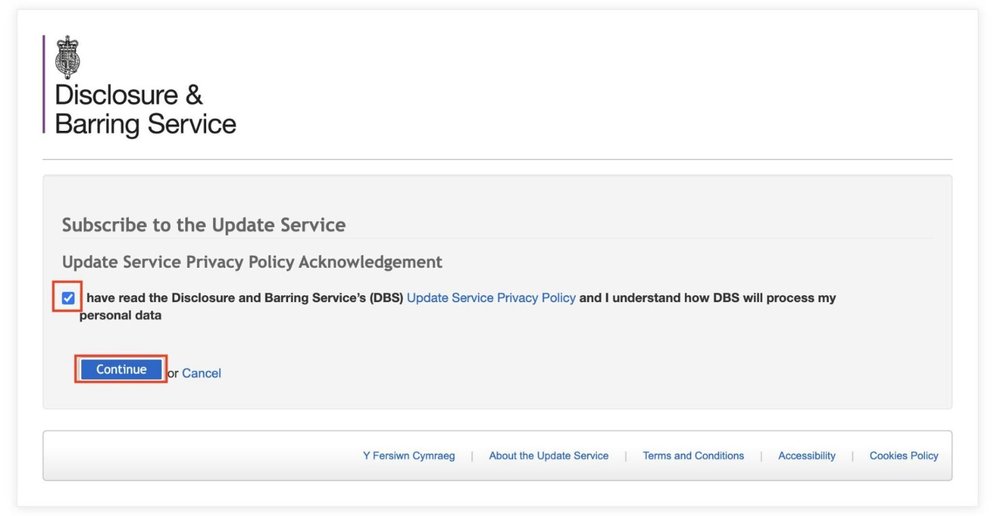
Visit the DBS website. Once in there, ensure that you read and
understand the update service privacy policy.
When to register:
You can register for the DBS Update Service as soon as you receive your e-reference number by email — there is no need to wait for your certificate to be issued.
Once your DBS certificate arrives by post, it will be automatically added to your Update Service account.
What to do with the DBS certificate:
Keep your DBS certificate safe, as your licensing authority may request clear photos of all its pages.
DBS update service fee:
The subscription fee for the DBS Update Service is £13 per year, payable by credit or debit card only.
What is the DBS update service?:
Once a driver registers for the Update Service, a licensing authority can carry out regular checks on their DBS status.
This means that if any new information is added to the driver’s DBS record, a licensing authority will be notified without having to wait until the next renewal.
DBS application and DBS update service:
- Complete a DBS application first.
- Once you receive an email containing your e-reference number, you can proceed to register with the DBS Update Service.
- Alternatively, you may wait until your DBS certificate arrives by post and then register using the certificate number—but this must be done within 30 days of the certificate issue date.
2. Tick the box and continue
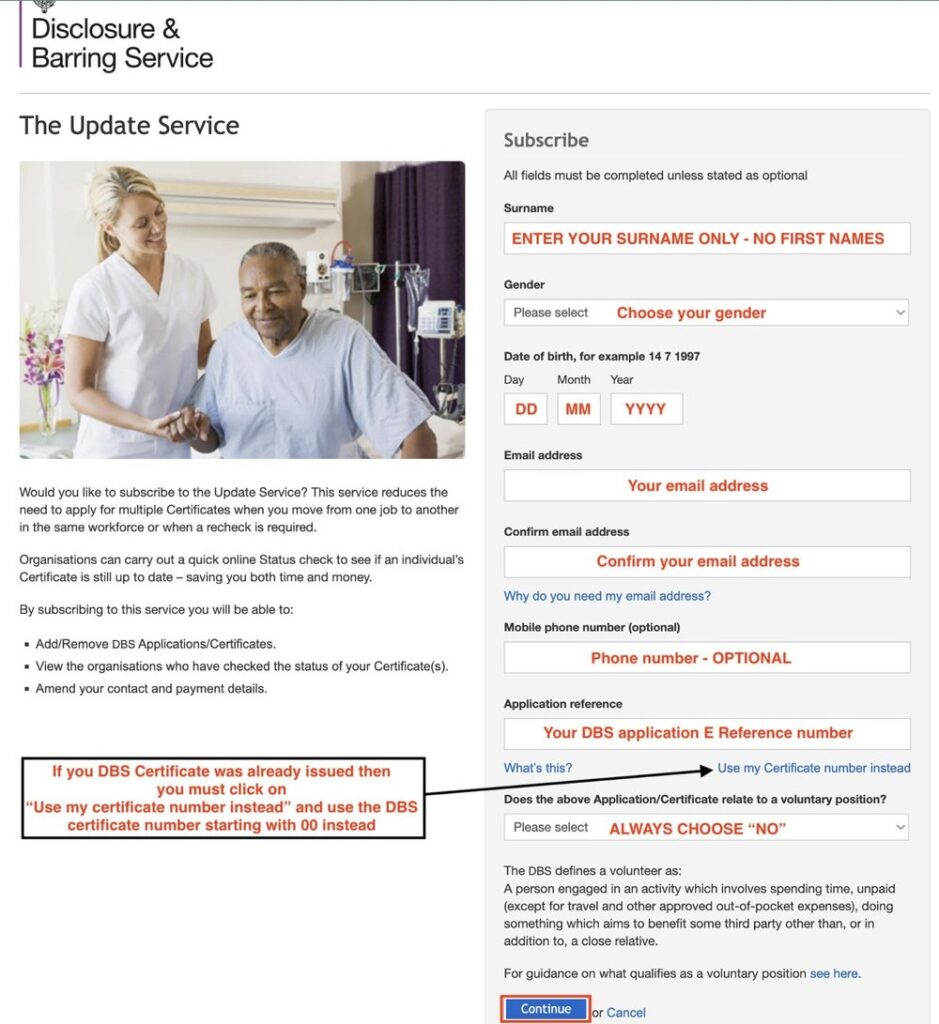
3. Provide your details
- Please make sure that your details are correct before proceeding to the next step.
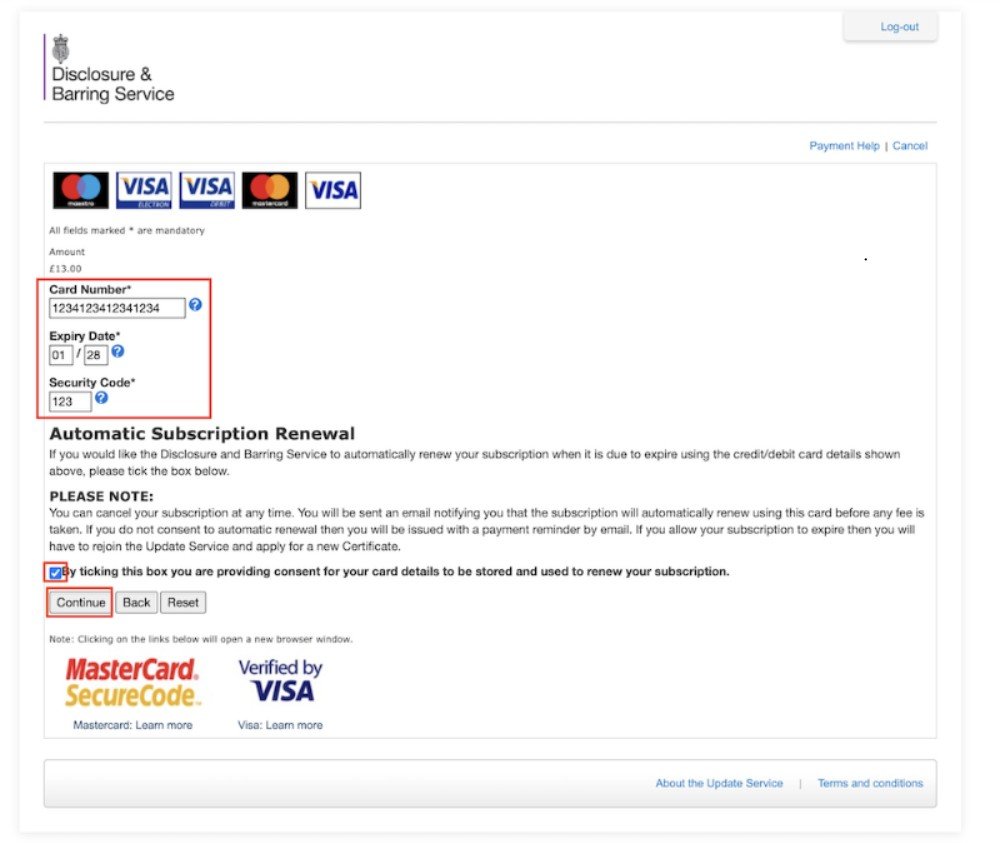
4. Enter payment details and click to continue
- After successfully registering, you will receive an email from the DBS Update Service containing your Update Service ID, which begins with the letter “C”.
- Please keep this ID safe, as you will be required to provide it during any new or renewal
application.